1
The agent prompt
Paste one prompt into Claude Code or Codex and it clones and builds the extension, then tells you the three clicks in Chrome.
AI Homepage replaces your Chrome new tab with a page a Claude agent writes from the sites you actually read, signed in as you. This guide gets it installed, builds your first homepage and shows how to set the look and keep costs low.
Paste one prompt into Claude Code or Codex and it clones and builds the extension, then tells you the three clicks in Chrome.
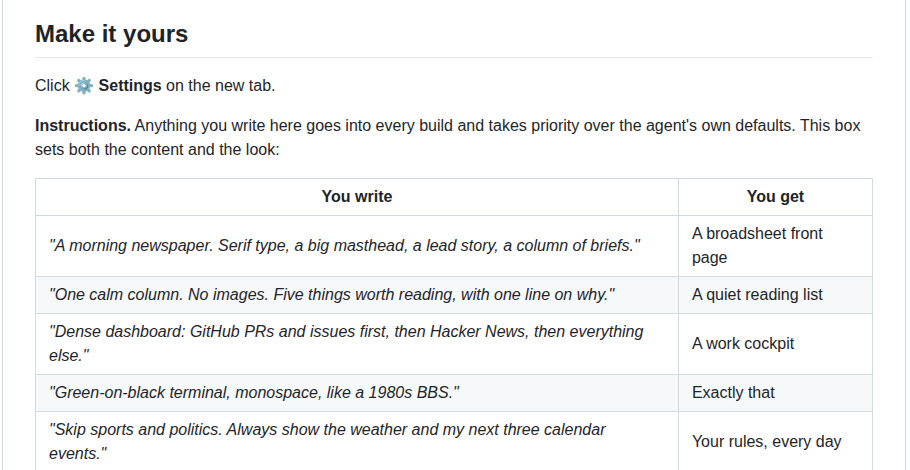
One line in Settings turns the page into a newspaper, a quiet reading list or a work dashboard with GitHub first.
Which model costs least, how often it rebuilds, and how to keep sites like your bank or CRM out of every build.
 🔒 Full guide after signup
Yes. You sign up with your email once and get this guide plus every other guide in the library.
The extension is free and open source under the MIT license. Each build runs as a Claude Managed Agents session on your own Anthropic API key, so you pay the model's token price plus $0.08 per hour of session runtime. Claude Haiku 5.5 is the cheapest model it offers, and you can turn off automatic rebuilds.
A summary of your browsing history (top domains, visit counts, a few page titles) and the cleaned-up HTML of up to 8 pages, loaded in your signed-in browser. The session and every uploaded page are deleted when each build ends. The default block list covers webmail, Google Docs and sign-in pages, and you can add any other site.
We send a confirmation email. Click the link and the full guide opens. You also get the ai-toolfinder newsletter every Friday and can unsubscribe anytime.