1
The agent prompt
Paste one prompt into Claude Code or Codex. It checks your Mac, installs bigarrow, adds the skill and draws a test arrow.
bigarrow is a free Mac tool that lets Claude Code and Codex draw a big arrow with a sign on your screen, right at the button they need you to click. This guide installs it, teaches your agent to use it and shows the one permission worth turning on.
Paste one prompt into Claude Code or Codex. It checks your Mac, installs bigarrow, adds the skill and draws a test arrow.
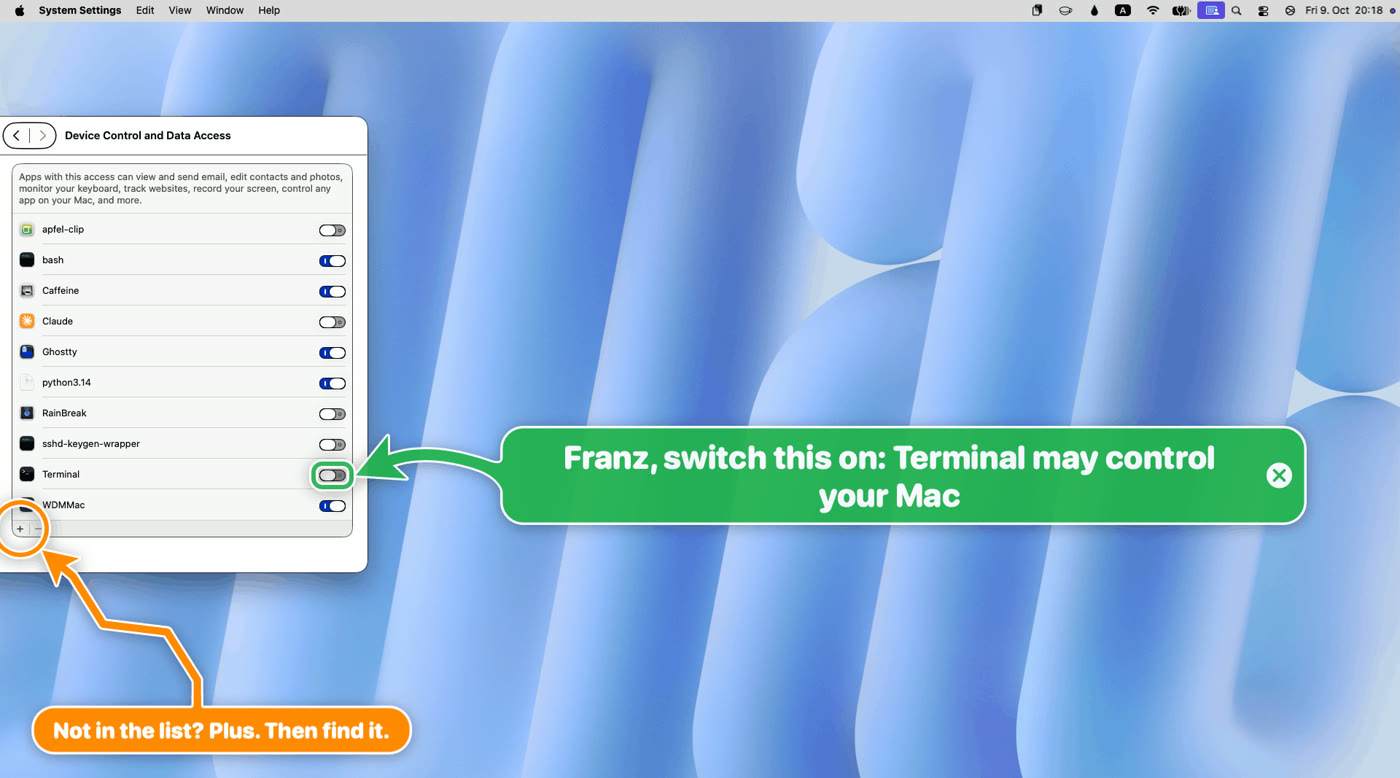
Which app needs the Accessibility switch so your agent can find a button by its label, and how to check it in one command.
How arrows end by themselves, and the one hook that clears them the moment you answer your agent.
 🔒 Full guide after signup
Yes. You sign up with your email once and get this guide plus every other guide in the library.
Yes. It is open source under the MIT license, with no account and no telemetry. It is one Swift program with no AI inside, so it adds no model costs. The skill costs your agent about 182 tokens of context most of the time.
No. bigarrow runs on macOS 14 or newer only. The Homebrew formula is marked macOS only and builds the program with Xcode 16 or newer.
We send a confirmation email. Click the link and the full guide opens. You also get the ai-toolfinder newsletter every Friday and can unsubscribe anytime.